SaaS Renewal Tracking Software: How to Stop Missing Renewals
Why renewals slip, what tracking software actually does, and how to set up a workflow that catches every notice deadline before it closes.
Hermann Lotter
Founder, Easy Entropy
Founder of Easy Entropy, the company behind Resubly. 20 years in operations with a specialization in fintech automation and AI. I built Resubly after watching auto-renewals slip through finance ops processes one too many times, and I write about the operational discipline that turns SaaS renewals from surprises into decisions.
SaaS renewal tracking software is a tool that records every software contract you hold, the renewal and cancellation-notice dates attached to each one, and alerts the right person before those dates pass. It exists because the alternative, a spreadsheet that nobody updates, is how companies end up locked into another year of a tool they meant to cancel.
If you have ever discovered a renewal three days after the notice window closed, you already understand the problem. What follows is what renewal tracking software actually does, the features worth paying for, how to set up a renewal workflow that holds, and how to decide whether you need a tool or can get by with a spreadsheet a while longer.
Why Renewals Break Down
Renewals fail for structural reasons, not because anyone is careless. The dates are invisible: a renewal date lives inside a PDF contract, in an inbox, or in a vendor portal nobody logs into. There is no single place that shows what renews and when.
The notice window is the trap. Most SaaS contracts auto-renew unless you cancel 30, 60, or 90 days before the term ends. Miss that window by a day and you owe another full term. The window is designed to be easy to miss.
Ownership drifts. The person who signed the contract changes teams or leaves, and the renewal lands on nobody. By the time finance sees the invoice, the decision is already made for them. Spreadsheets decay for the same reason: a tracker is accurate the week it is built and stale a month later, because keeping it current is work nobody owns.
The renewal date is when you get charged. The notice date is the last day you can stop it.
What One Missed Renewal Actually Costs
The cost is rarely just the next invoice. Consider a mid-tier tool at $1,200 per month, a $14,400 annual commitment, on a 60-day notice window. The team decided in month nine to drop it after the term. Nobody tracked the notice date. The window closed, the contract auto-renewed, and the company owed another $14,400 for a tool it had already chosen to replace.
That is one tool. A company with fifty SaaS subscriptions has fifty of these windows running at once, on different dates, owned by different people. The expected cost of an untracked portfolio is not whether you miss a renewal. It is how many, and how large.
There is a second, quieter cost: price escalation. Many contracts allow the vendor to raise the price at renewal, often by a fixed percentage, sometimes uncapped. Caught early, that increase is a negotiation. Caught after the notice window, it is a fact. Tracking renewals is what turns a renewal from something that happens to you into a decision you make.
What SaaS Renewal Tracking Software Does
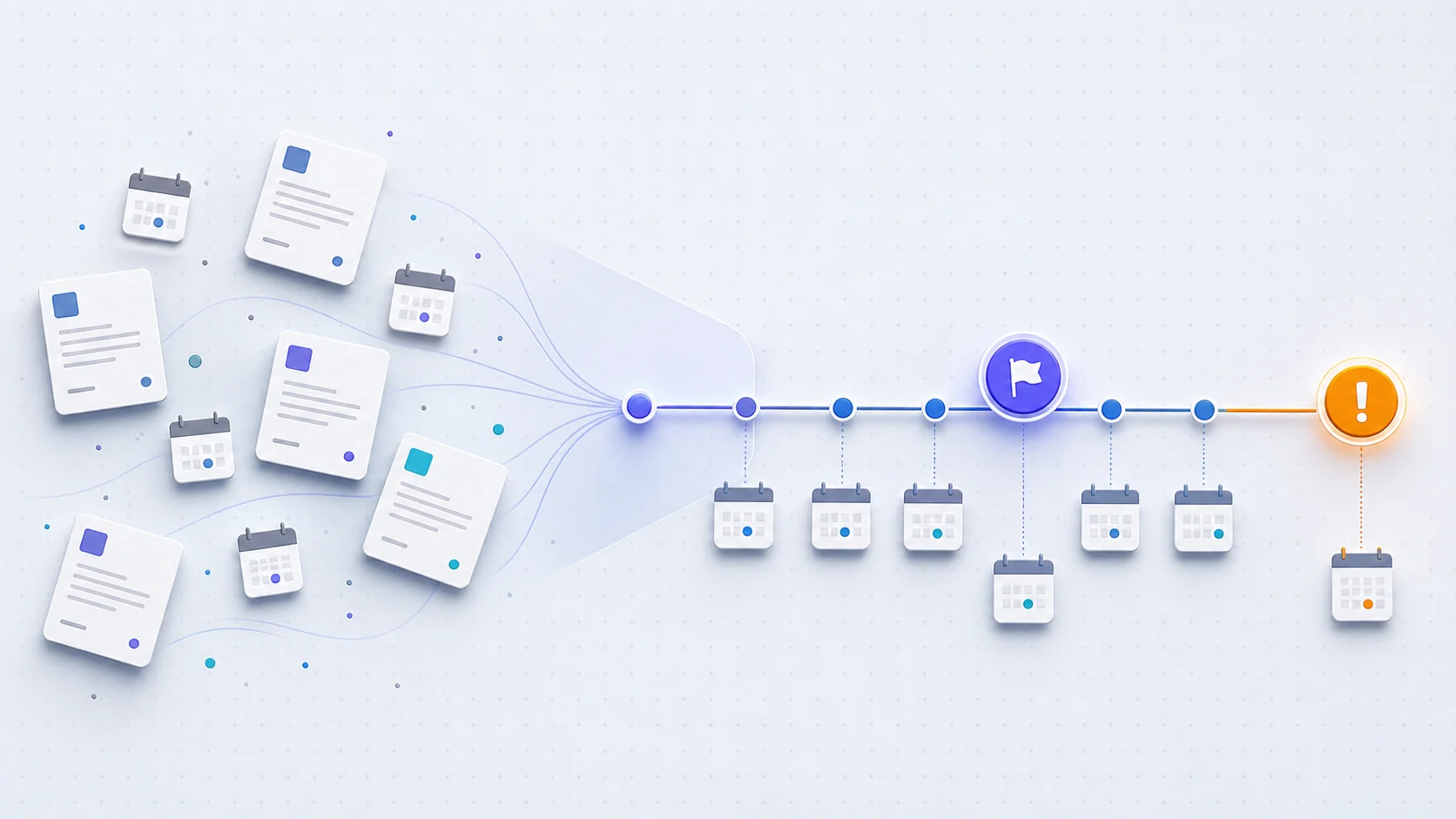
Renewal tracking software replaces the spreadsheet with a system that does four things a spreadsheet cannot do reliably.
It centralises contracts. Every agreement, its term, its price, and its renewal and notice dates live in one place, so you can answer what renews next quarter in seconds instead of an afternoon of inbox archaeology.
It alerts before the deadline, not after. The software watches the notice window and warns the contract owner with enough lead time to actually decide. The alert is the entire point. A list of dates with no reminder is just a slower spreadsheet.
It assigns ownership and surfaces spend. A renewal becomes the job of a named person rather than nobody. And once every contract is in one place, the total annual commitment becomes visible. That number is usually higher than anyone expected, and it is the first step to cutting it.
Key Features to Look For
Not every tool that calls itself renewal software does the job well. If a tool gets the first two features below right, it solves the expensive problem. Everything else is convenience.
| Feature | Why it matters | Skip it if |
|---|---|---|
| Notice-date alerts | The core function. Warns you before the cancellation window closes, not on the renewal date itself. | Never skip this. |
| Configurable lead time | A 90-day notice window needs an alert further out than a 30-day one. | All your contracts share one short window. |
| Owner assignment | Makes each renewal a specific person's responsibility and prevents orphaned contracts. | You are a team of one. |
| Contract document storage | Keeps the agreement attached to the dates, so review is one click away. | You store contracts elsewhere and link out. |
| Spend and cost view | Shows total annual commitment and per-tool cost, turning tracking into savings. | You only need dates, not money. |
| Email and calendar integration | Alerts land where you already work instead of in another dashboard you forget. | You live in the tool's dashboard daily. |
| Renewal history | Records past prices and terms so you can spot escalation and negotiate from data. | You are tracking for the first time. |
How to Set Up a Renewal Tracking Workflow
You can stand up a working renewal process in an afternoon. The software makes it durable, but the workflow is the same either way. The difference between this working and not working is the alerts step: if alerts depend on a human remembering to check, the system fails the first busy month.
- List every SaaS contract you hold. Pull from finance, corporate cards, and your single sign-on tool. Expect to find tools nobody remembered subscribing to.
- Record the key dates for each: term start, term end, renewal date, and notice-period length. The notice period is the one most people skip and the one that costs the most.
- Calculate the alert date by working backward from the notice deadline and adding buffer. A 60-day window with a 14-day decision buffer means an alert 74 days before term end.
- Assign an owner to each contract. Name a person, not a department.
- Set the alerts. This is where software earns its place, because a spreadsheet will not email anyone. The tool should notify the owner automatically at the alert date.
- Review on a cadence. Once a month, walk the list of upcoming renewals and decide early, while you still have room to negotiate or migrate.
Spreadsheet vs Renewal Tracking Software
A spreadsheet is the right starting point and the wrong long-term answer. It works when you have a handful of contracts and one person who owns all of them. It is free, flexible, and faster to start than any tool. Many companies should begin here.
It breaks down on three fronts. It cannot send an alert, so the deadline still depends on someone checking the sheet. It goes stale, because updating it is work nobody owns. And it has no owner accountability, so when the person who built it leaves, the tracker leaves with them.
Dedicated software is worth it once missing a single renewal would cost more than the tool. The honest version: track in a spreadsheet until it hurts, then switch. The switch usually comes right after the first missed renewal.
How to Choose Renewal Tracking Software
Match the tool to the problem you actually have, not the longest feature list. If your problem is missed dates, prioritise alerting: the tool that warns the right person at the right time, reliably, beats the tool with more dashboards. If your problem is spend, prioritise the cost view. If your problem is scale, prioritise integrations.
Be wary of platforms built for selling subscriptions rather than buying them. Tools aimed at vendors who bill their own customers solve a different problem and will not track your renewals as a buyer. You want a tool built for the contract owner, not the contract issuer.
Common Renewal Tracking Mistakes
- Tracking the renewal date instead of the notice date. Always alert before the notice deadline, not on the day you get charged.
- Setting a single fixed reminder for every contract. A 30-day reminder is too late for a 90-day notice window.
- Leaving contracts unowned. A date with no owner is a date nobody acts on.
- Never recording the outcome. Without the old price, the new price, and whether you renegotiated, you walk into the next renewal with no negotiating position.
- Treating discovery as a one-time task. New tools get added every month, so discovery has to be ongoing or the tracker is stale within a quarter.
Where Resubly Fits
Resubly is built for the buyer side of the problem. It centralises your SaaS contracts, tracks the renewal and notice dates that matter, and alerts the contract owner before the cancellation window closes. The focus is the expensive failure mode, the missed notice deadline, rather than a broad platform you have to configure for a month before it helps.
If you are tracking renewals in a spreadsheet today and have felt it start to slip, that is the moment Resubly is designed for.
Frequently Asked Questions
How do companies track their SaaS products?
Most companies start with a spreadsheet listing each tool, its cost, and its renewal date. As the list grows, they move to dedicated renewal tracking software that centralises contracts, assigns an owner to each, and sends automatic alerts before the cancellation window closes. The shift usually happens after the first missed renewal.
What is the difference between renewal tracking and contract management software?
Renewal tracking focuses narrowly on dates and alerts: knowing what renews, when, and warning the owner in time. Contract management is broader, covering drafting, approval, e-signature, and storage. For most SaaS buyers the expensive problem is renewals, so a focused tracker often solves more than a heavyweight contract suite.
Can I track SaaS renewals in a spreadsheet?
Yes, and you should start there if you have only a few contracts. A spreadsheet fails on three points: it cannot send alerts, it goes stale, and it loses continuity when the person who built it leaves. Switch to software once a missed renewal would cost more than the tool.
How far in advance should I be alerted about a renewal?
Work backward from the notice deadline, not the renewal date, and add a decision buffer. For a 60-day notice window, alert at least 74 days before the term ends so the owner has two weeks to decide and act before the window opens.
Does renewal tracking software help reduce SaaS spend?
Indirectly, and significantly. Its main job is preventing missed cancellations, but centralising every contract makes total annual spend visible for the first time. That visibility is what surfaces duplicate tools, unused licences, and price escalations you can negotiate down.
Sources: Zylo: SaaS Management Index Report, Flexera: State of ITAM Report